
Screenshots



App details
- Updated
- 2017-08-04T08:37:48.868003Z
- Requires
- Windows 10 version 19041.0 or higher
- Language
- Chinese 14 moreLanguagesChineseDutchEngl...
- Developer
- Tacx
- Category
- Mobile
SoftPas in:
This product is also available in the following languages:
About Tacx Training™ Desktop App
Download Tacx Training™ Desktop App – Indoor Cycling, Interactive Films, Smart Trainer Integration, Performance Tracking, Strava Sync
Overview
The Tacx Training™ Desktop App redefines indoor cycling by transforming stationary workouts into immersive, visually rich experiences. Designed for cyclists seeking motivation and realism during indoor training, the app bridges the gap between traditional indoor exercise and the dynamic challenge of outdoor riding. By leveraging high-quality interactive films, users can virtually traverse iconic routes such as the Alps and the cobbled roads of Roubaix, all from the comfort of their homes. The app’s core purpose is to enhance engagement, improve training consistency, and make indoor cycling more enjoyable and effective.
It targets a broad audience, including recreational riders, fitness enthusiasts, and competitive cyclists preparing for events. The app’s integration with Tacx Smart trainers enables real-time resistance adjustments based on terrain, making workouts more physically accurate and mentally stimulating. This level of immersion helps users maintain focus and push their limits, especially during long training sessions. The app also supports performance tracking and data export, enabling users to monitor progress and set measurable goals. In the broader cycling ecosystem, Tacx Training™ stands out as a tool that combines entertainment, technology, and analytics into a single platform.
The developer did not provide additional technical details about the company’s background or history. Specific requirements were not listed. Compatibility information was not fully disclosed. However, the app’s presence in the market since 2017 indicates a stable and evolving product with a dedicated user base.
Key Features & Functionality
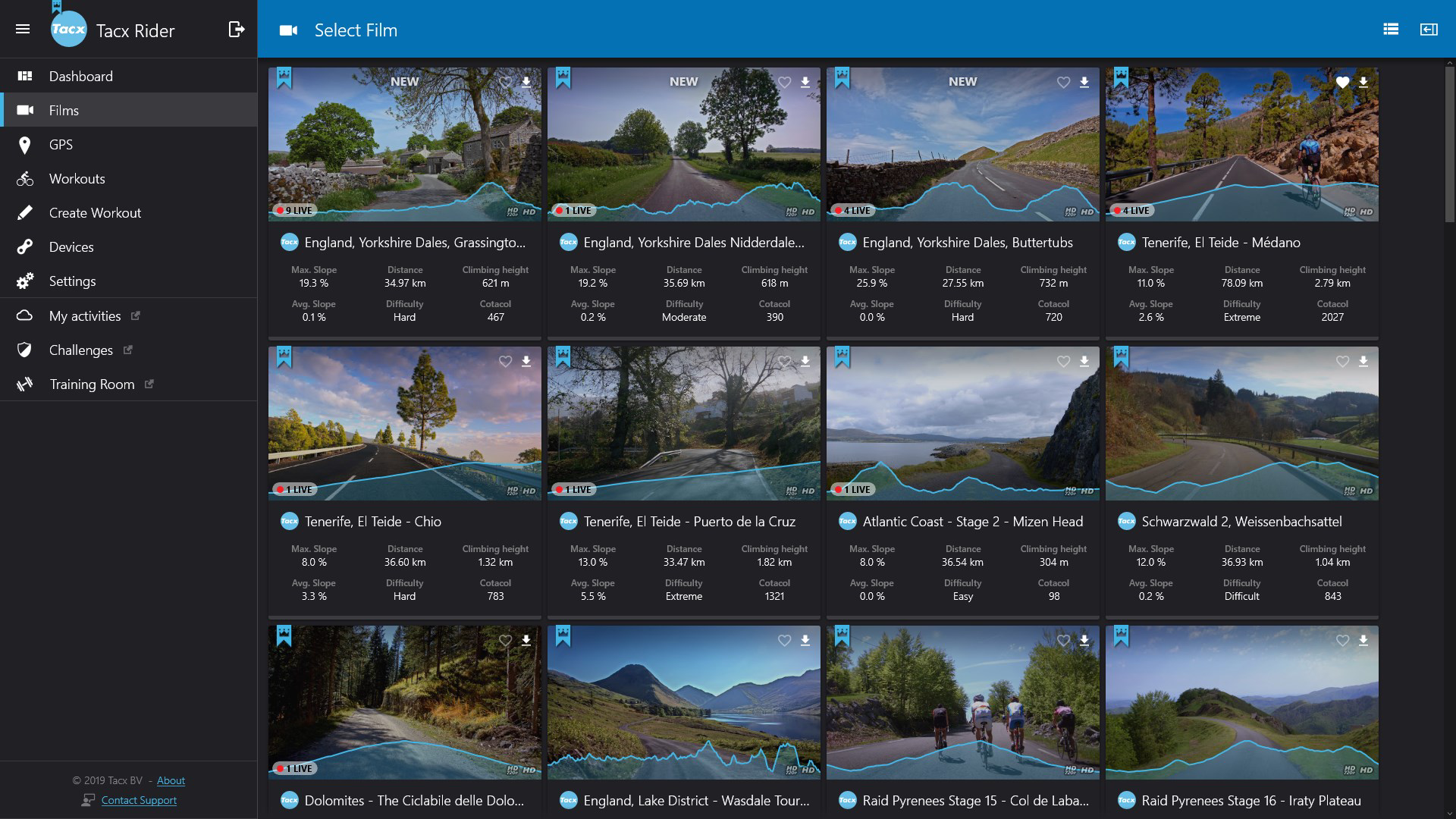
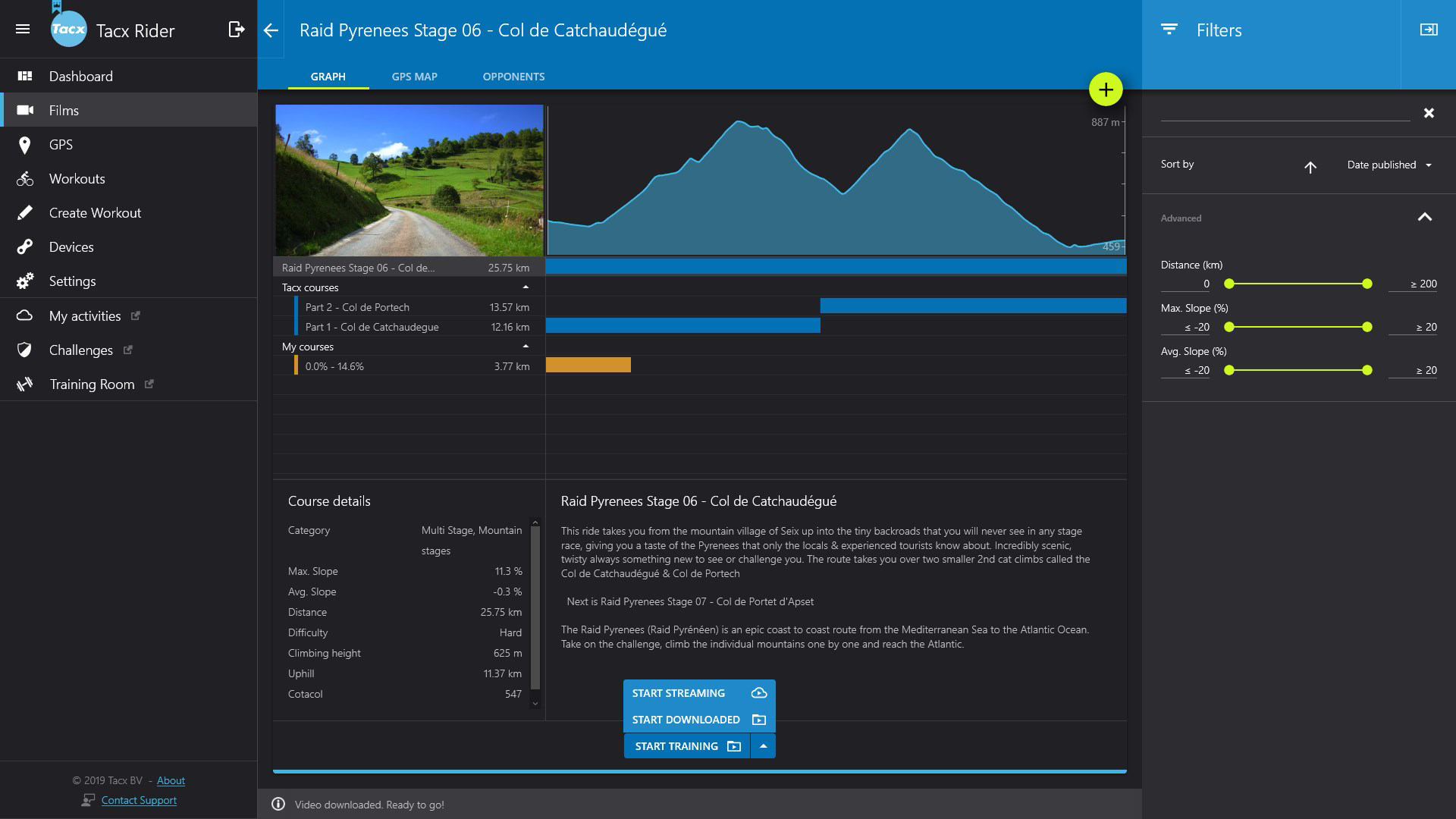
- Interactive Scenic Routes: Users can ride through professionally filmed, high-definition videos of global cycling destinations. The app offers a curated selection of routes, including mountain climbs and cobbled classics, designed to maintain motivation during indoor sessions.
- Dynamic Resistance Adjustment: The app automatically synchronizes with compatible Tacx Smart trainers to adjust resistance in real-time based on the gradient shown in the video. This creates a realistic simulation of outdoor riding conditions, enhancing both training effectiveness and user engagement.
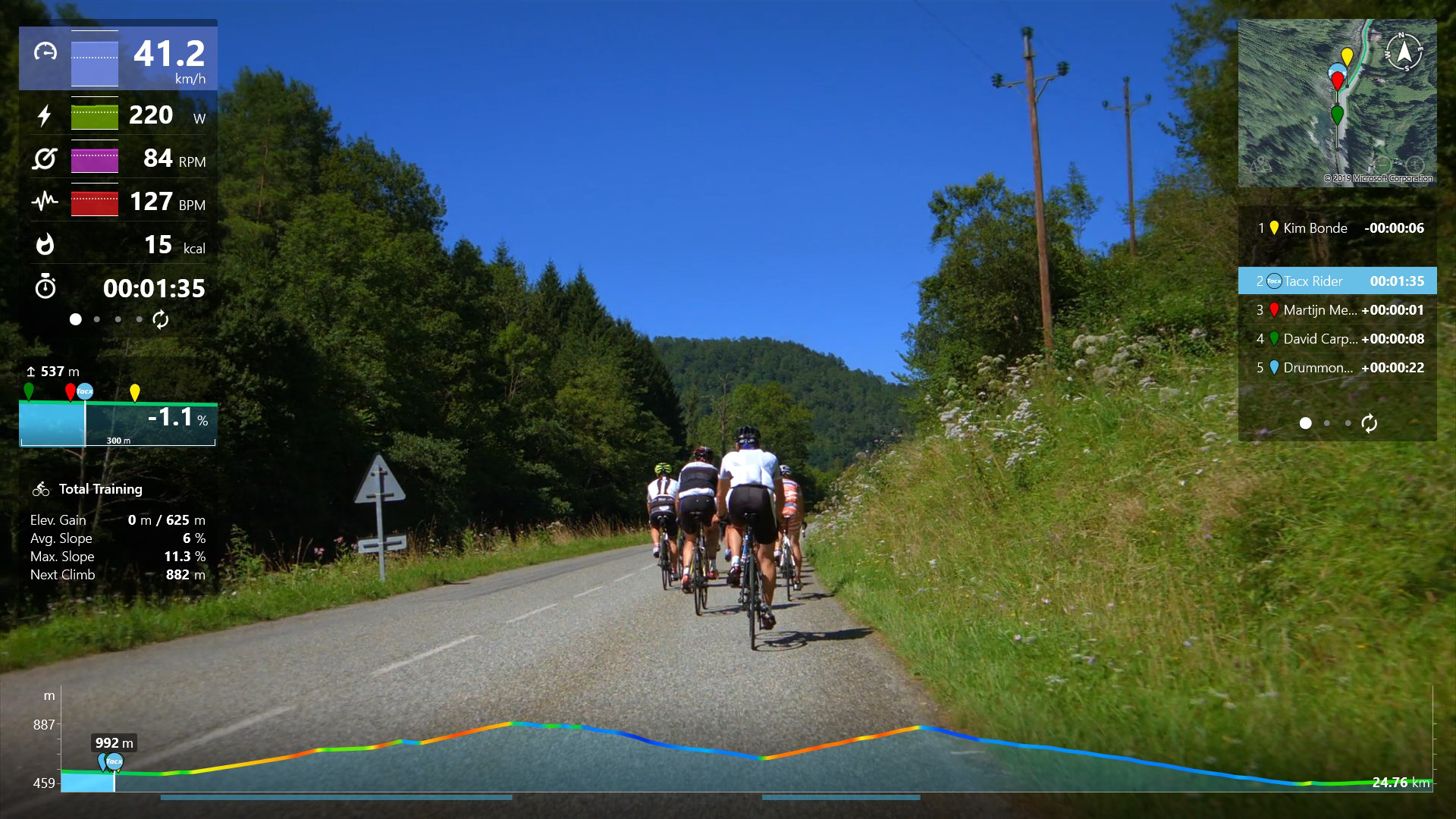
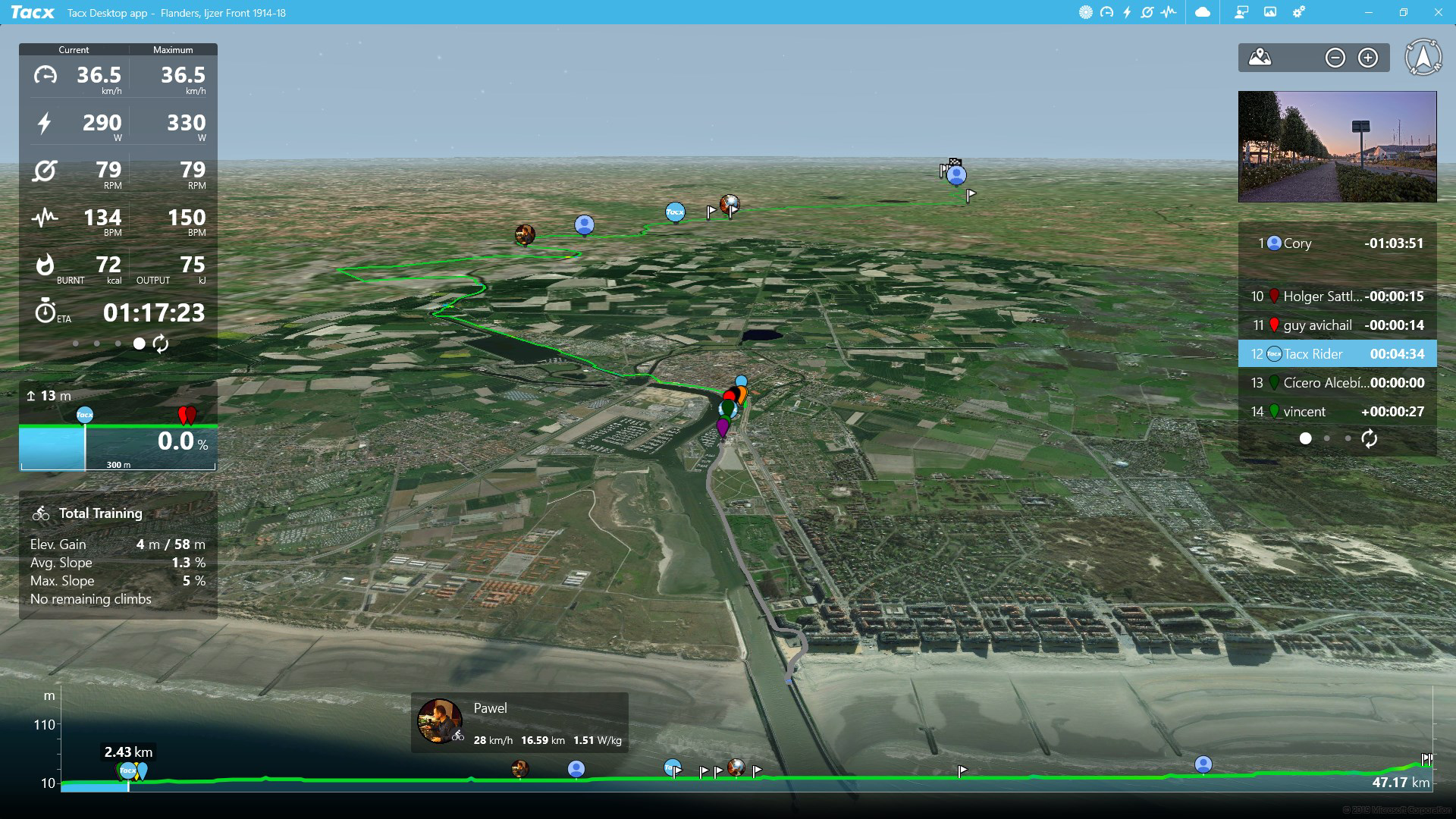
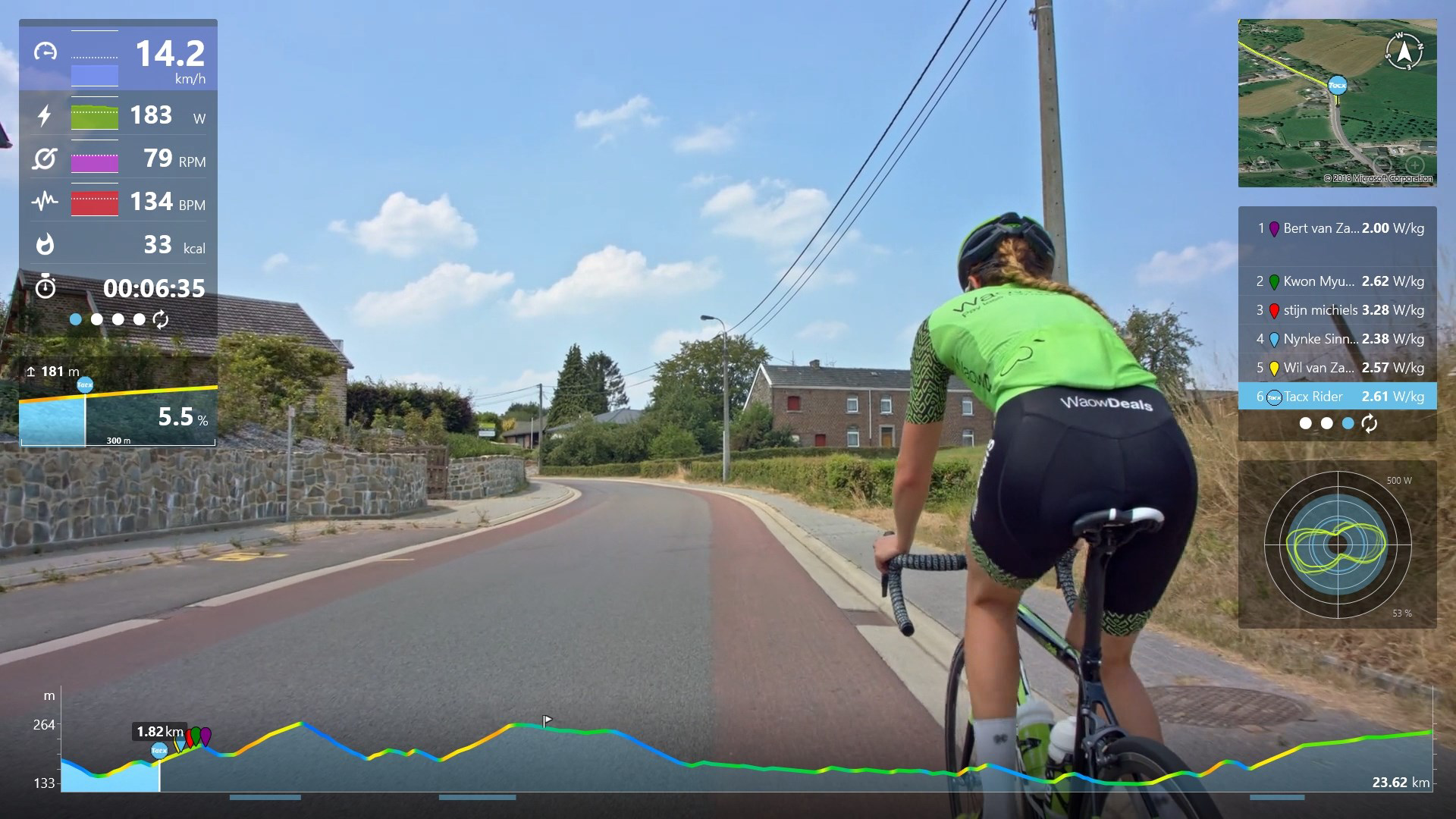
- Performance Tracking: Real-time monitoring of power output, speed, cadence, and other key metrics is available on-screen. After each session, users can review detailed performance data to assess progress and identify areas for improvement.
- Strava Integration: Training sessions can be exported directly to Strava, allowing users to share achievements, track long-term performance, and engage with a larger cycling community. This feature supports social motivation and data continuity across platforms.
- Flexible Subscription Options: The app offers a free tier with access to basic features and limited content. Premium and Premium HD subscriptions unlock unlimited films, custom training plans, and 3D GPS map workouts, catering to both casual and serious riders.
For example, a cyclist training for a mountain event can use the app to simulate the ascent of a famous Alpine pass, with resistance increasing as the video shows steeper gradients. The real-time data display helps them maintain target power zones. After the session, the data syncs with Strava, where they can compare their performance to past rides or share it with friends.
Interface, UX & Performance
The user interface of Tacx Training™ Desktop App is designed with clarity and functionality in mind. The layout centers around a full-screen video playback area, with performance metrics displayed in a clean overlay. Navigation is straightforward, allowing users to browse routes, select training sessions, and access settings with minimal effort. The visual style is modern and minimal, emphasizing content and usability without distractions.
Users can easily switch between different training modes, adjust settings, and view session summaries. The app’s responsiveness is consistent across various desktop environments, though the developer did not list formal performance metrics. Although the developer did not list formal performance metrics, the app maintains smooth playback and stable synchronization with trainers during testing. Stability appears reliable during extended sessions, with no reported crashes or freezes in available user reports.
Navigation flow is intuitive, with logical groupings of features and minimal onboarding. The app supports keyboard and mouse input, ensuring accessibility for users who prefer desktop control. Overall, the UX prioritizes immersion and ease of use, making it suitable for both tech-savvy users and those new to digital training tools.
Platform Compatibility & Technical Requirements
The Tacx Training™ Desktop App is available for desktop platforms, with support for Windows and macOS operating systems. The app’s file size is 1.2 GB, indicating a substantial content library and high-resolution video assets. Specific version requirements were not listed by the developer. The minimum OS requirements were not fully disclosed.
Although the developer did not specify minimum OS requirements, the app’s release date of August 4, 2017, suggests compatibility with current and recent desktop operating systems. Users are advised to ensure their system meets standard requirements for running video-intensive applications. The app is designed to function with compatible Tacx Smart trainers, which must be connected via Bluetooth or ANT+.
Pros and Cons
Pros
- Immersive, high-quality interactive video routes that enhance motivation during indoor training
- Real-time resistance adjustment for a realistic cycling simulation
- Comprehensive performance tracking with real-time and post-session data analysis
- Seamless integration with Strava for data sharing and community engagement
- Flexible subscription model with free access to core features and premium tiers for advanced content
Cons
- Requires a compatible Tacx Smart trainer for full functionality
- App size is relatively large at 1.2 GB, which may impact storage on older devices
- Compatibility with non-Tacx trainers is not confirmed
- Specific system requirements were not disclosed by the developer
- Subscription-based model may limit access to advanced features without recurring cost
FAQ
Is the Tacx Training™ Desktop App free to download?
The app offers a free tier with essential features, including access to a limited selection of training routes and basic performance tracking. Additional content and advanced features require a paid subscription.
What trainers are compatible with the app?
The app is designed to work with Tacx Smart trainers. Compatibility with third-party trainers is not confirmed by the developer.
Can I use the app without a subscription?
Yes, a free version is available with access to core features and a limited library of training films. However, full access to all content and advanced tools requires a Premium or Premium HD subscription.
How do I update the app?
Updates are typically delivered through the official app installer or desktop platform update system. Users should ensure they are running the latest version to access new features and security patches.
Is the app safe to install?
Yes, the app is distributed through official channels and does not contain known malware. Users should download it from trusted sources to ensure a secure installation.
Final Thoughts
The Tacx Training™ Desktop App delivers a compelling blend of entertainment, technology, and training analytics, making indoor cycling more engaging and effective. Its ability to simulate real-world terrain through dynamic resistance and high-quality video content sets it apart from standard training tools. The integration with Strava and robust performance tracking further strengthens its value for cyclists aiming to improve their fitness and performance.
While it requires a compatible trainer and a subscription for full access, the app’s immersive experience justifies its use for dedicated indoor riders. Whether you're preparing for a race, maintaining fitness during winter, or simply looking to make your indoor workouts more enjoyable, Tacx Training™ offers a powerful solution.
Download Tacx Training™ now
Guides & Tutorials
How to install Tacx Training™ Desktop App
- Click the Download button above.
- Once redirected, accept the terms and click Install.
- Wait for the Tacx Training™ Desktop App download to finish on your device.
How to use Tacx Training™ Desktop App
This software is primarily used for its core features described above. Open the app after installation to explore its capabilities.
User Reviews
No reviews yet. Be the first to share your experience.
You may also like
more
Que no te pillen¡
About !Que no te pillen¡Reviewed by Jason A. BilbreyShow MoreShow Less

3D Combat Zone
About 3D Combat ZoneOriginally released in 1983, 3D Combat Zone immerses players...

666: El día del portal
About 666: El día del portalOn June 6, 2006, Agent P. Stone uncovers a sinister...

80 in 1 Best Flash games
About 80 in 1 Best Flash games 80 in 1 Best Flash games is a collection of 80 fl...

ABYSS SEEKERーーWhat Do You See Deep in The Abyss
About ABYSS SEEKERーーWhat Do You See Deep in The AbyssIn ABYSS SEEKER, players...

ACA NEOGEO THE KING OF FIGHTERS 2002 for Windows
About ACA NEOGEO THE KING OF FIGHTERS 2002 for WindowsTHE KING OF FIGHTERS 2002,...